First of all open your browser and Sign up or Login the daraz tool.

After putting details on signup page contact us on our Facebook page named with Daraz Tool on facebook. Link is also given on the footer of the dashboard screen. Tell us your gmail which you entered while signup and we will activate your account. Then you can refresh the page and login again with your gmail and password.You will go to dashboard of the tool as shown in below figure.

Now you can easily use the tool. For this purpose enter your keyword for which you want to search the data and use secret code "1517" and press the search button. Then you will be shown a poppup with the message "It will take 2 minutes". Don't worry just click okay and it will show you keyword data in less than two minutes.
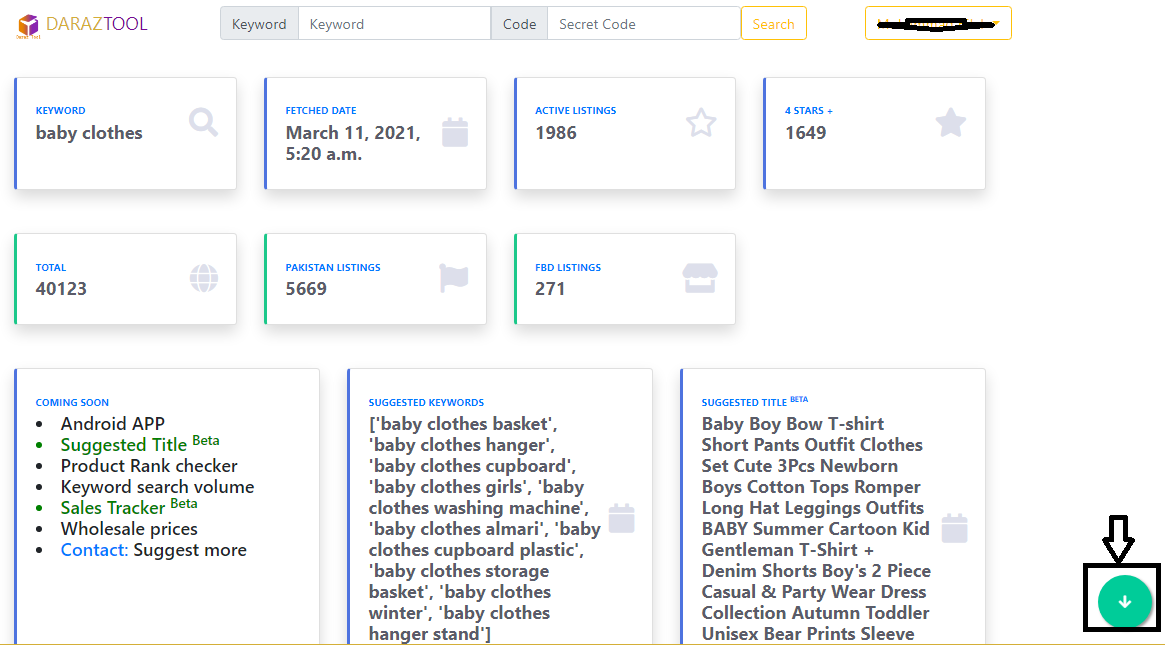
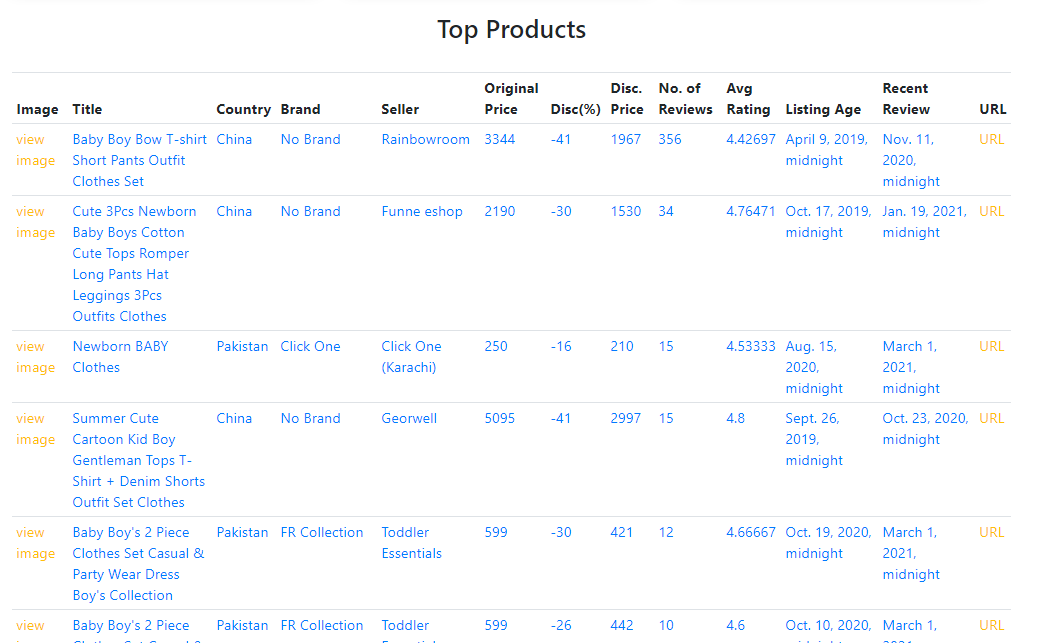
You can also see the details of top 40 products with 4star plus rating as shown in below figure . To see more details click on the arrow down button on bottom right corner of the screen
To check stock of your desired products, open the dropdown menu by clicking on your username or directly go to this link to keep track record of stocks quantity for your desired products.
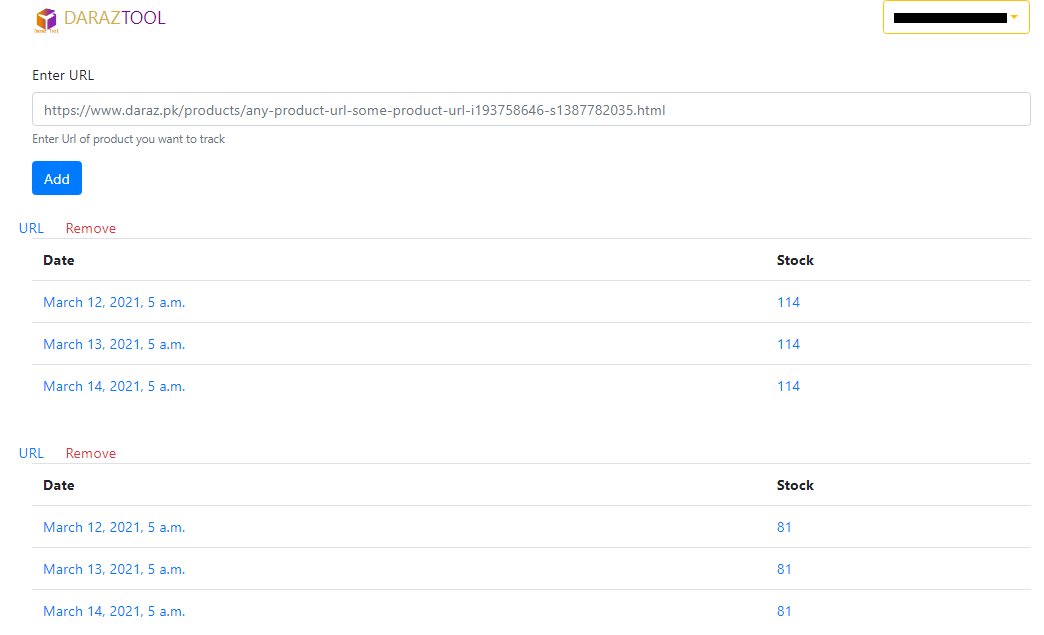
You can add maximum of 4 products and you can check stock for 15 days.
Note: Under Process
Rank tracker will also be available in this tool where you will add your product url and keyword. Then you can get the rank number for your product on daraz.
Open the Browser
Search DarazTool
Create an Account
Enjoy & Rate us!
